Dreambox 920 uhd vs vu+
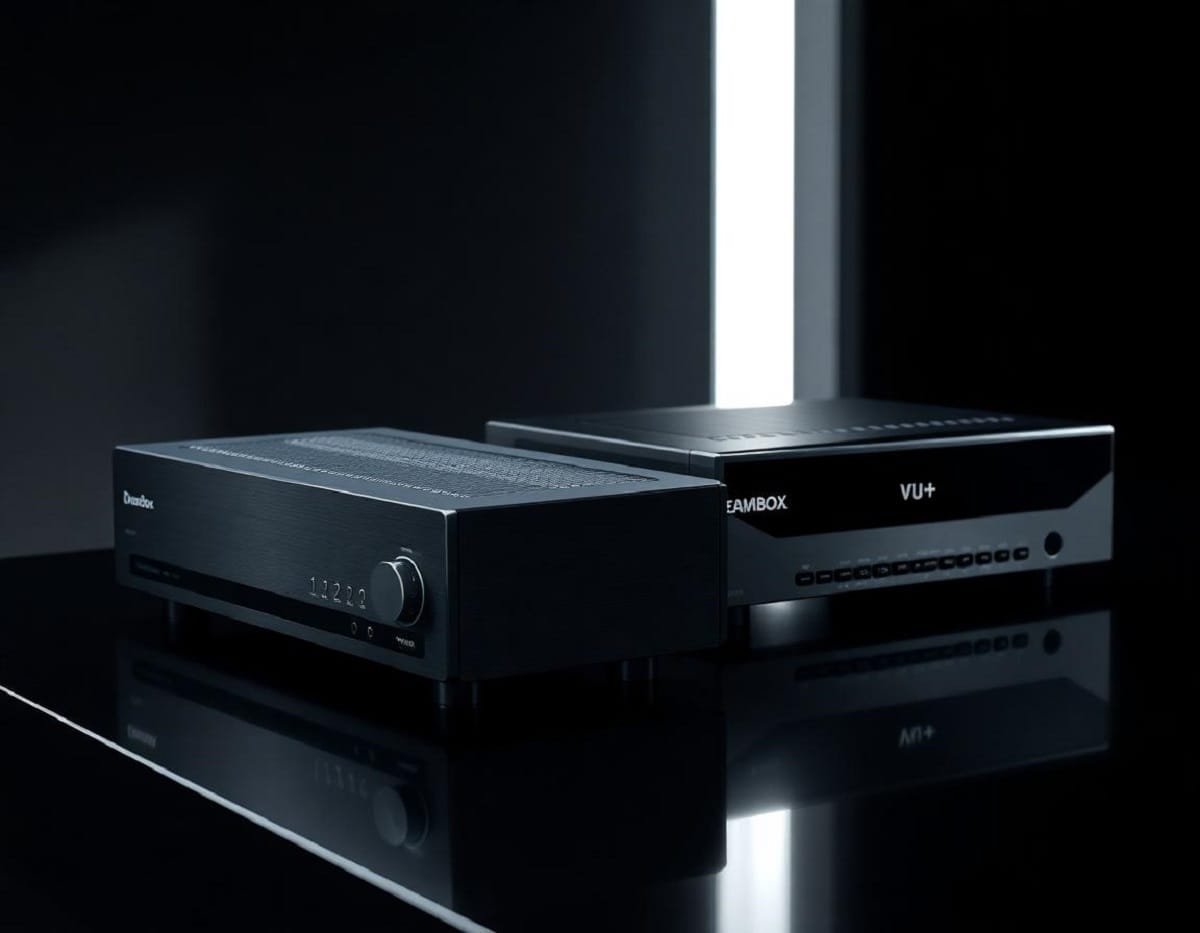
Dreambox 920 UHD vs Vu+ Receivers: Clear Comparison and Which One Fits Your Needs
Satellite receivers have become essential for anyone wanting sharp, high-quality TV viewing. With more people switching to Ultra HD (UHD) content, having a receiver that supports this resolution is key. Dreambox and Vu+ stand out as trusted brands offering reliable, feature-rich UHD models.
This post compares the Dreambox 920 UHD and the popular Vu+ receivers. You’ll see how they differ in performance, usability, and features to help you pick the one that suits your needs best. Whether you want smooth streaming, easy setup, or solid build quality, this guide breaks it all down clearly.
Overview of Dreambox 920 UHD and Vu+ Receivers
When choosing a satellite receiver for Ultra HD content, it helps to understand what each brand offers. Dreambox and Vu+ have built strong reputations with feature-packed devices designed for serious TV enthusiasts. Both cater to users who want high-quality images, flexibility, and powerful hardware, but they take slightly different approaches. Below is a closer look at the Dreambox 920 UHD and several popular Vu+ receivers to give you a clear picture of what each brings to the table.
Dreambox 920 UHD Features and Specifications
The Dreambox 920 UHD is designed as a top-tier satellite receiver built for reliable performance in Ultra HD resolution. It aims to provide sharp images with smooth playback, making it a solid choice for UHD fans who don’t want fuss or lag.
Here’s what stands out in the Dreambox 920 UHD:
- Processor: The receiver runs on a Dual-Core ARM Cortex-A53 processor. This gives it enough power to handle 4K UHD streams and multiple tasks simultaneously without hiccups.
- Memory: Equipped with 2GB of DDR4 RAM, it offers smooth navigation and quick access to channels and apps.
- Storage: It comes with 8GB of internal eMMC storage, suitable for storing recordings and app installations.
- Tuners: The device includes a dual DVB-S2X tuner setup, allowing you to receive multiple satellite signals at once. This lets you record one channel and watch another without compromise.
- Supported Formats: The Dreambox 920 UHD supports HEVC (H.265), H.264, MPEG2, and MPEG4 video codecs. It plays UHD 4K content at 60fps, ensuring crisp and detailed pictures.
- Connectivity: It has dual Gigabit Ethernet ports, built-in Wi-Fi, and USB 3.0/2.0 ports for connecting external drives or accessories.
- Operating System: Running on the Enigma2 OS, it offers a customizable and versatile user interface familiar to satellite TV enthusiasts.
The Dreambox 920 UHD balances strong hardware with a good set of features tailored for multi-tuner users who want 4K-capable hardware with flexibility in streaming and recording.

Photo by Mike van Schoonderwalt
Vu+ Receiver Models and Specifications
Vu+ offers several models that compete directly with the Dreambox 920 UHD, notably the Vu+ Duo 4K SE, Vu+ Solo 4K, and Vu+ Ultimo 4K. These devices focus on flexibility and power, with each suited for slightly different audiences based on tuner setup and budget.
- Vu+ Duo 4K SE:
- Processor: Quad-core ARM Cortex-A53 processor, slightly more powerful than the Dreambox 920 UHD, supporting faster operation.
- Memory: 2GB DDR4 RAM and 16GB eMMC storage ensure smooth multitasking and ample space for apps and recordings.
- Tuners: Features dual DVB-S2X tuners, with some versions offering hybrid tuner options (satellite + terrestrial).
- Formats: Supports HEVC, H.265, H.264, and MPEG, with full UHD 4K at 60fps.
- Connectivity: Gigabit Ethernet, Wi-Fi (via external adapter), USB 3.0 ports, and HDMI 2.0 outputs.
- Software: Runs Enigma2 OS, known for its flexibility and plugin support.
- Vu+ Solo 4K:
- Designed for users who want a single tuner device without losing UHD capability.
- Processor: Dual-core ARM Cortex-A53.
- Memory: 2GB DDR4 RAM and 4GB internal storage.
- Tuners: Single DVB-S2X tuner.
- Connectivity: Ethernet, USB ports, and HDMI 2.0 output.
- Ideal for simpler setups or secondary receivers.
- Vu+ Ultimo 4K:
- The premium model in Vu+’s lineup with high-end specifications.
- Processor: Quad-core ARM Cortex-A53 for top performance.
- Memory: 3GB DDR4 RAM and 16GB internal flash.
- Tuners: Comes with dual DVB-S2X tuners and the option to add a third via slot.
- Connectivity: Dual Gigabit Ethernet, USB 3.0, and Bluetooth support with external modules.
- Great for power users who want expandability and the best available performance.
All Vu+ receivers share support for multiple video codecs, UHD 4K playback at 60 frames per second, and the flexible Enigma2 environment. They offer a mix of tuner options to suit whether you want a simple, single-tuner box or a fully loaded multi-tuner machine.
In summary, Vu+ models bring multiple options with powerful hardware choices to fit various user needs while maintaining focus on UHD and Enigma2 compatibility. This flexibility makes them popular for users with specific tuner needs and those who want to customize or upgrade over time.
Performance Comparison Between Dreambox 920 UHD and Vu+
When it comes to picking between the Dreambox 920 UHD and Vu+ receivers, performance plays a huge role. Both devices promise strong specs on paper, but how they handle everyday tasks like navigating menus, switching channels, and streaming Ultra HD content can tell a different story. Let’s take a close look at user experience and UHD streaming capabilities to help you understand what each receiver really offers.
User Interface and Usability
The user interface (UI) is where you spend most of your time, so responsiveness and ease of use matter a lot. The Dreambox 920 UHD runs on the popular Enigma2 platform, which fans will find familiar but straightforward. Its interface loads quickly with smooth animations and little lag. Customization is a nice touch here, with plenty of skins and plugins available to change how menus look and function. Even if you are new to Enigma2, the layout is straightforward enough to get up and running without headaches.
The remote control on the Dreambox 920 UHD is compact and functional. Navigation buttons are well spaced, and it responds promptly without delays. Users appreciate the clear button labels and good build quality, making it easy to handle during long viewing sessions.
Vu+ models also rely on Enigma2 but tend to offer deeper customization right out of the box. You’ll find more advanced options for tweaking menus, plugins, and display modes. This suits experienced users who like to fine-tune their UI experience. However, the interface can initially feel cluttered or overwhelming for beginners. The remote controls on Vu+ devices tend to be slightly larger with added buttons for quick access to specific functions like recordings or network features. The responsiveness is just as good, with quick channel switching and menu transitions.
Key differences:
- Dreambox 920 UHD offers a cleaner and more beginner-friendly UI.
- Vu+ allows for more customization but has a steeper learning curve.
- Both provide responsive, well-designed remote controls.
The Dreambox is ideal if you want a plug-and-play setup with an intuitive interface. Vu+ will suit you better if you enjoy exploring more options and don’t mind spending time customizing.
Photo by Yiğit KARAALİOĞLU
UHD Picture Quality and Streaming Capabilities
Both the Dreambox 920 UHD and Vu+ receivers excel at delivering sharp 4K UHD picture quality, but there are subtle performance differences worth noting. The Dreambox 920 UHD supports smooth 4K playback at 60fps with full HEVC (H.265) hardware decoding. Its dual-core processor and 2GB RAM handle UHD streams comfortably without stuttering or frame drops. Colors are vibrant, and the image detail holds up well on larger screens. It also supports HDR formats, enhancing contrast and brightness for compatible TVs.
Streaming-wise, the Dreambox offers solid basic IPTV support plus network streaming via Gigabit Ethernet and Wi-Fi. You can easily connect to on-demand services or stream live TV from home networks. It handles various streaming protocols reliably and offers good stability over long viewing periods.
Vu+ receivers bring a bit more firepower under the hood with quad-core processors on higher-end models, making 4K playback exceptionally smooth even when multitasking. Their HEVC decoding capabilities match those of Dreambox, delivering crisp UHD images with clean motion. HDR support is also present, pushing picture quality further on compatible setups.
When it comes to network and streaming features, Vu+ models support IPTV, SAT>IP, and various network streaming protocols, often with more plugin options for expanding streaming services. The dual Gigabit Ethernet on top-tier models gives them an edge in maintaining a steady, high-speed connection, especially with large UHD streams. Wi-Fi support depends on external adapters for Vu+, which can be a slight inconvenience compared to Dreambox’s built-in solution.
Streaming highlights:
- Dreambox 920 UHD offers reliable UHD playback with built-in Wi-Fi and user-friendly IPTV support.
- Vu+ provides powerful UHD streaming backed by stronger processors and broader plugin capabilities.
- Network connectivity on Vu+ can be faster, but Wi-Fi requires add-ons unlike Dreambox’s built-in solution.
If UHD streaming quality and smooth handling are your priorities, both devices are excellent choices. Dreambox provides an all-in-one solution with good streaming features, while Vu+ is a bit more flexible and scaled for power users with complex network setups.
This comparison shows that the Dreambox 920 UHD focuses on solid UHD performance combined with ease of use, while Vu+ leans into more horsepower and customizable streaming across different network environments.
Software Ecosystem and Community Support
When choosing between the Dreambox 920 UHD and Vu+ receivers, the software each device runs and the community backing it are key factors. Software updates, available plugins, and active user groups greatly affect how your receiver performs and evolves over time. These elements empower you to customize features, troubleshoot issues, and get the most from your investment.
Dreambox Software and Plugin Availability
The Dreambox 920 UHD runs on Enigma2, an operating system tailored for satellite receivers with a focus on stability and simplicity. Dream Multimedia regularly releases firmware updates that improve performance, patch bugs, and add new features. These updates also help the receiver stay compatible with evolving streaming protocols and UHD formats.
What makes Dreambox stand out is its wide range of plugins. From video-on-demand services, IPTV clients, and electronic program guides to weather apps and system tools, the plugin ecosystem offers many ways to stretch the device’s capabilities. Installation is straightforward through the user-friendly plugin manager.
The steady flow of updates keeps your receiver secure and efficient, while the plugin variety lets you tailor the interface and functions to fit your preferences. Whether you want to add fancy skins, automate recordings, or access third-party streaming sources, Dreambox’s software ecosystem covers it well.
Key points about Dreambox software:
- Runs on Enigma2 OS with consistent updates.
- Large, easy-to-access plugin library.
- Regular firmware brings performance and security enhancements.
- Plugins extend capabilities beyond basic TV functions.
- Straightforward installation and management.
This software ecosystem suits users who want solid, maintained functionality without needing to dive deeply into custom setups.

Photo by Tima Miroshnichenko
Vu+ Software Flexibility and Community Contributions
Vu+ receivers also operate on Enigma2 but shine in their openness and the strength of their user community. Many Vu+ models support open-source firmware builds like OpenATV, OpenPLI, and VTI. These third-party images deliver customized experiences with unique features, bug fixes, and performance tweaks beyond the official firmware.
The Vu+ community actively contributes plugins, patches, and guides. Forums filled with passionate users share tips on setup, troubleshooting, and plugin development. This vibrant ecosystem means your device can adapt and improve long after purchase, thanks to contributions from other users worldwide.
Community forums provide quick help if you run into issues or want advice on making your setup run smoother. There are plugins for advanced IPTV streaming, cloud integrations, Netflix support, and even home automation control emerging from community projects.
What Vu+ offers through its software environment:
- Open-source firmware options that go beyond official releases.
- Wide access to third-party plugins crafted by enthusiasts.
- Active forums and communities for support and sharing.
- Frequent community-driven updates maintain device value long-term.
- Custom firmware lets you fine-tune performance to your needs.
This software flexibility and community support work great for tech-savvy users who like to experiment and keep their gear fresh with the latest tweaks. It can require more effort, but the payoff is a receiver that grows with your needs and interests.
Both Dreambox and Vu+ receivers tap into strong software ecosystems that add layers of value beyond their hardware. Dreambox delivers dependable updates and an accessible plugin pool, while Vu+ caters to those who want maximum freedom to customize and explore with open-source tools and a thriving user base.
Price, Value, and Final Recommendations
Choosing the right satellite receiver isn’t just about features or specs — price and overall value play a big role in deciding which device makes the most sense for you. Both the Dreambox 920 UHD and Vu+ models cover a range of price points and offer different strengths. Let’s break down how they stack up when it comes to cost, what you get for your money, and which one fits your needs best.
Comparing Price Points
When you look at retail prices, the Dreambox 920 UHD usually sits in the mid-to-high price range. It’s known for offering solid UHD features and dual tuners for around $550 to $600, depending on the seller and region. This price reflects its focus on steady performance, a clean user interface, and built-in Wi-Fi, all bundled in a compact design.
Vu+ receivers vary more widely in price because of their lineup. Here’s a quick look:
- Vu+ Solo 4K: The most affordable option, running roughly $350 to $400. Great if you need a simple UHD receiver with a single satellite tuner.
- Vu+ Duo 4K SE: A step up with dual tuners and a stronger processor, priced near $500 to $550. This directly matches the Dreambox 920 UHD territory.
- Vu+ Ultimo 4K: The premium model goes upwards of $700, offering more RAM, storage, and tuner expandability for power users.
The cost difference reflects how much flexibility and power you want. You can get a Vu+ receiver to suit a range of budgets, while the Dreambox 920 UHD targets a midrange, ready-to-use solution out of the box.
Value for Money: What You Get vs. Price
To get value, it’s about balancing what you pay with performance, features, and support. Here’s where each shines:
Dreambox 920 UHD
- Built-in Wi-Fi and dual Gigabit Ethernet ports deserve credit—they let you connect easily without extra adapters.
- The dual-core processor and 2GB RAM handle 4K UHD smoothly for most users.
- The cleaner, easier Enigma2 interface means less time troubleshooting and more time watching.
- Firmware and plugin updates keep the device current without needing much manual intervention.
- Its 8GB internal storage is adequate for many, although heavy recorders might want external drives.
Vu+ Duo 4K SE and Ultimo 4K
- Offer stronger processors and more RAM (up to 3GB in Ultimo), which helps if you run complex setups or multiple apps at once.
- The hardware tuners can expand, especially on the Ultimo 4K, making it a future-proof option.
- No built-in Wi-Fi means an extra purchase for wireless, but wired connections benefit from dual Gigabit Ethernet.
- The open-source firmware options and community plugins provide unmatched customization but come with a steeper learning curve.
- Typically more storage and plugin variety suited for tech enthusiasts who enjoy tinkering.
If you want a solid out-of-the-box experience with reliable UHD streaming and easy setup, Dreambox offers strong value for its price point. Meanwhile, Vu+ is a better bang for those who want maximum customization and are ready to spend time configuring their receivers.
Who Should Choose Which?
To make it simpler, here are some straightforward recommendations based on user needs:
- You want a hassle-free UHD receiver with solid performance
Dreambox 920 UHD is your best bet. It balances power and simplicity. The built-in Wi-Fi and user-friendly interface get you started fast. - You’re a tech-savvy user who wants to customize and upgrade
Consider Vu+ Duo 4K SE or Ultimo 4K. The extra processing power, tuner flexibility, and open firmware options give you room to grow and tinker. - You need a budget-friendly UHD option with basic features
The Vu+ Solo 4K offers UHD playback at a lower price but with fewer tuners and storage. - You plan to record multiple channels simultaneously and expand tuners
Vu+ Ultimo 4K stands out with its tuner slots and bigger RAM, making it ready for demanding setups.

Photo by Ray Strassburger
By matching your priorities with what each device offers for its price, you can get far more value from your receiver. Whether it’s ease, power, or budget, picking the right Dreambox or Vu+ model means you won’t overspend or lose features you need down the line.
Conclusion
Both the Dreambox 920 UHD and Vu+ receivers deliver strong UHD performance and solid software options. Dreambox stands out for its easy setup, built-in Wi-Fi, and straightforward interface, making it a great fit for users who want ready-to-go reliability without fuss. Vu+ offers more power, tuner flexibility, and a large community with open-source firmware, serving well those who like to customize and build complex setups.
Choosing between the two depends largely on your priorities: pick Dreambox for hassle-free, consistent use or Vu+ if you want a flexible platform to tweak and expand. Either way, both brands give you quality UHD viewing with features that can grow with your needs. Take your time to match your setup style and budget, then enjoy your upgrade in TV experience.