Why Netflix Crashes On Some Smart TVs
Estimated reading time: 19 to 25 minutes.
Netflix crashing on a smart TV can feel strange because the same app may work perfectly on a phone, laptop, or newer streaming device. The TV opens Netflix, loads the menu, starts playback, then suddenly closes, freezes, restarts, or returns to the home screen without a clear explanation.
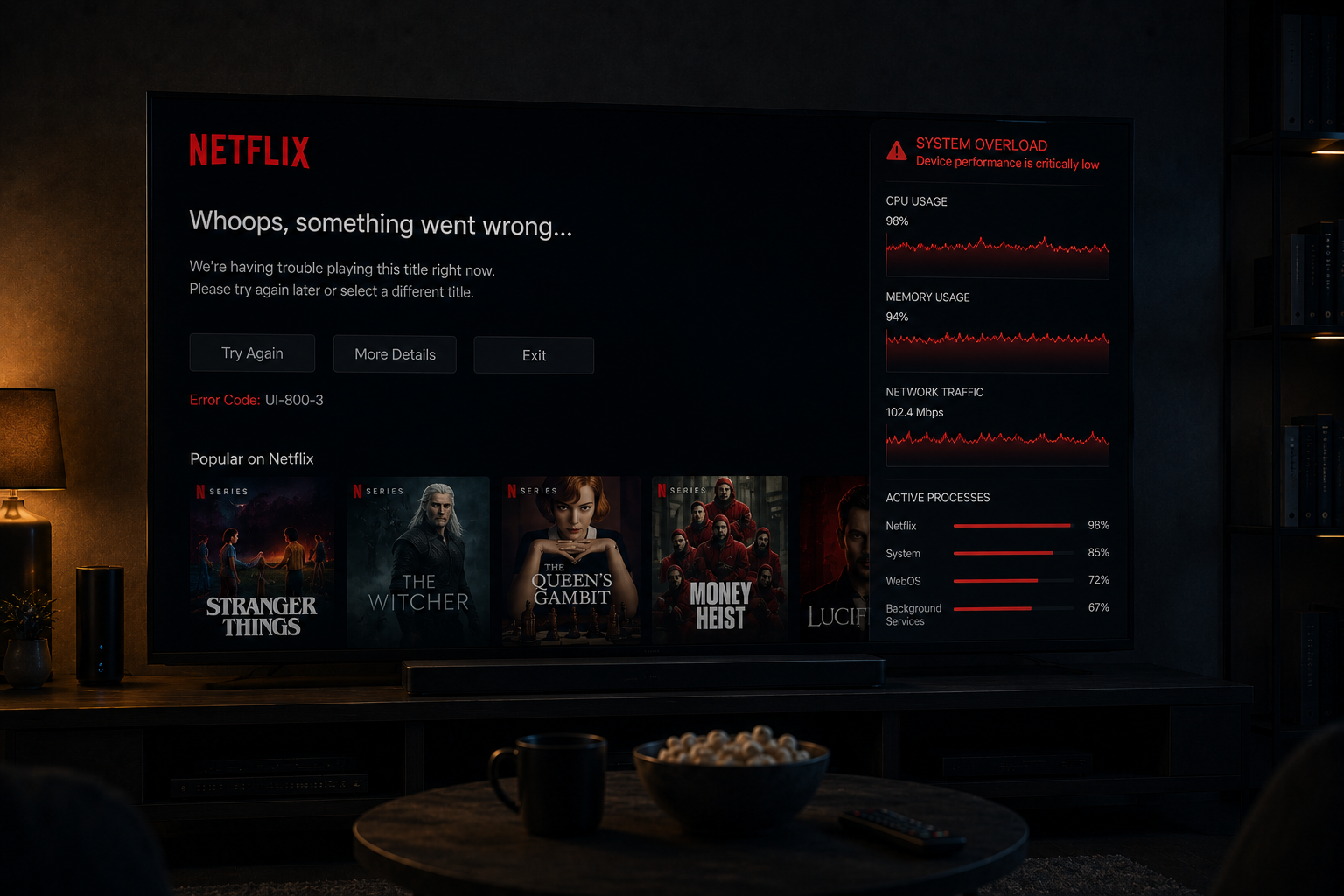
This problem is rarely caused by one simple failure. Smart TVs are small computers with limited processors, limited memory, built in operating systems, app storage, network chips, and thermal limits. When Netflix becomes too demanding for one of those layers, the app may crash instead of simply buffering.
Quick Context. Netflix crashes on some smart TVs because the app depends on memory stability, processor power, decoding support, software compatibility, network consistency, and system resources working together without interruption.
Table of Contents
What a Netflix crash really means
Smart TVs are limited computers
Memory pressure and app instability
Weak processors and heavy app workload
Internal storage and cache problems
App updates and older TV systems
Video codecs and decoding support
Why 4K HDR increases crash risk
Network instability and app failures
Overheating and thermal throttling
Background services on smart TVs
Operating system fragmentation
What a Netflix crash really means
A Netflix crash means the app stopped running correctly inside the smart TV system.
This is different from buffering.
Buffering means the app is still alive but waiting for more video data.
A crash means the app process itself became unstable or was closed by the TV operating system.
This may appear as:
- The app closing suddenly
- The screen returning to the TV home menu
- Netflix freezing completely
- The TV restarting the app
- A black screen before exit
The visible result looks simple, but the technical cause may be deeper.
Smart TVs are limited computers
A smart TV is not just a screen. It is a small computer built into a television.
It has:
- A processor
- Memory
- Internal storage
- Network hardware
- Operating system software
- Video decoding hardware
The problem is that many smart TVs have far weaker hardware than phones, tablets, or dedicated streaming boxes.
Netflix may look like a simple app, but it performs many tasks at the same time.
It loads menus, authenticates the account, plays previews, manages subtitles, decodes video, adjusts quality, buffers data, and communicates with servers.
If the TV hardware is weak, that workload can become too heavy.
Memory pressure and app instability
Memory is one of the most common reasons Netflix crashes on smart TVs.
Streaming apps need memory to store:
- Video buffers
- App interface data
- User profile information
- Thumbnail images
- Playback settings
- Temporary cache files
If the TV has limited RAM, Netflix may run out of working space.
When memory pressure becomes too high, the TV operating system may close the app to protect the system.
From the user side, it looks like Netflix crashed randomly.
Technically, the TV could not provide enough memory to keep the app stable.
Weak processors and heavy app workload
The processor inside the TV controls how quickly the app can respond.
Older or cheaper smart TVs often use low power processors.
These processors may handle basic menus but struggle with modern streaming workloads.
Netflix requires the processor to manage:
- Menu animation
- Search interface
- Playback controls
- Network requests
- Adaptive streaming logic
- Audio and subtitle timing
When the processor becomes overloaded, the app may freeze first.
If the system cannot recover, the app crashes.
Internal storage and cache problems
Smart TVs use internal storage for app files and temporary data.
Over time, Netflix cache data can become large or unstable.
Storage problems may cause:
- Slow app loading
- Menu freezing
- Playback startup failure
- Repeated crashes
Some TVs have very limited internal storage.
If storage becomes nearly full, the app has less room to write temporary files.
This can make Netflix unstable even when the network is fine.
App updates and older TV systems
Netflix apps change over time.
New versions may include improved features, updated security, interface changes, or better streaming logic.
But older smart TV operating systems may not handle these changes smoothly.
This creates a compatibility gap.
The app becomes more modern, but the TV system remains limited.
That gap can lead to crashes, especially if the TV no longer receives strong firmware support.
Video codecs and decoding support
Netflix video is compressed using codecs.
The TV must decode that compressed video in real time.
Modern codecs are efficient, but they can be demanding.
If the TV does not support a codec properly, or if hardware decoding is weak, playback becomes unstable.
Symptoms may include:
- Black screen
- Playback error
- Stuttering
- App crash
This is especially common when older TVs are asked to handle newer streaming formats.
Why 4K HDR increases crash risk
4K HDR streaming is far heavier than standard HD playback.
It requires more:
- Processing power
- Memory
- Decoder performance
- Thermal stability
- Bandwidth consistency
A TV may technically support 4K HDR but still struggle to run it reliably inside the Netflix app.
When 4K HDR playback pushes the system too hard, the app may become unstable.
This is why Netflix may crash during high quality playback but not during simple browsing.
Network instability and app failures
Network problems usually cause buffering, but they can also contribute to crashes.
If the connection becomes unstable during playback, Netflix must constantly adjust quality, refill buffers, and reconnect to servers.
This increases app workload.
On a strong device, this is usually handled smoothly.
On a weak smart TV, repeated network instability can overload the app.
The crash may look like a software problem, but the network triggered the instability.
Overheating and thermal throttling
Smart TVs generate heat during long streaming sessions.
4K playback, HDR processing, WiFi activity, and app rendering all increase internal temperature.
When the TV gets too warm, the processor may reduce performance to protect the hardware.
This is called thermal throttling.
When performance drops:
- Menus become slow
- Playback becomes unstable
- Decoding may fall behind
- The app may crash
This is why Netflix sometimes crashes after long viewing sessions rather than immediately.
Background services on smart TVs
Netflix does not run alone.
The smart TV may also run background services such as:
- System updates
- Voice assistant processes
- Advertising systems
- App store services
- Network monitoring
- Other suspended apps
These services compete for the same memory and processor resources.
On newer TVs, this may not matter much.
On older or cheaper TVs, background tasks can push Netflix over the stability limit.
Operating system fragmentation
Smart TVs use different operating systems depending on the brand and model.
Each system handles apps differently.
Some are well optimized.
Others manage memory poorly or become slow over time.
This explains why Netflix may be stable on one TV brand but crash frequently on another.
The Netflix app is only one part of the system.
The TV operating system controls how the app runs.
Why older smart TVs crash more often
Older TVs crash more often because they face a combination of problems.
They usually have:
- Weaker processors
- Less RAM
- Slower storage
- Older WiFi chips
- Limited codec support
- Less frequent updates
Netflix has become more demanding over time.
The TV hardware has not improved after purchase.
Eventually, the app may become too heavy for the device to run smoothly.
A real world crash example
Imagine an older smart TV running Netflix over WiFi during the evening.
The user starts a 4K HDR episode.
At the same time:
- The TV has limited RAM
- The WiFi connection fluctuates
- The processor is already warm
- The Netflix app loads high resolution thumbnails
- Background services remain active
The app begins playback.
Then the network becomes unstable.
Netflix tries to adjust bitrate and refill the buffer.
The processor load rises.
Memory pressure increases.
The TV slows down and finally closes the app.
To the user, Netflix crashed suddenly.
Technically, several weak layers failed together.
| Cause | Technical Problem | Visible Result |
|---|---|---|
| Low RAM | Memory pressure | App closes suddenly |
| Weak CPU | Slow processing | Freezing before crash |
| Cache issues | Corrupted temporary data | Repeated startup failure |
| 4K HDR load | Heavy decoding demand | Playback crash |
| Network instability | Repeated stream adjustments | App instability |
| Overheating | Thermal throttling | Slowdown and crash |
| Old operating system | Compatibility gap | Unstable Netflix app |
Reality Check
Netflix crashes on smart TVs are rarely caused by one isolated issue. Most crashes happen when limited hardware, memory pressure, software compatibility, network instability, and app workload collide.
Final Verdict
Netflix crashes on some smart TVs because modern streaming apps are demanding and smart TV hardware is often limited. Weak processors, low memory, cache problems, outdated operating systems, 4K HDR decoding pressure, overheating, and unstable network conditions can all push the app beyond what the TV can handle. The crash is usually the final symptom of several technical limits building up at the same time. Understanding this helps explain why Netflix may work perfectly on one device while crashing repeatedly on another.
FAQ
| Question | Answer |
|---|---|
| Why does Netflix crash on my smart TV | Usually because of memory pressure, weak hardware, cache issues, or software instability |
| Can old smart TVs cause Netflix crashes | Yes older TVs often struggle with modern Netflix app demands |
| Does 4K HDR increase crash risk | Yes because it requires more processing power and memory |
| Can WiFi instability crash Netflix | It can contribute by forcing repeated stream adjustments and app workload increases |
| Why does Netflix crash after long viewing | Heat, memory pressure, and cache buildup can increase during long sessions |