Why Astra Channels Vanish After an LNB Change
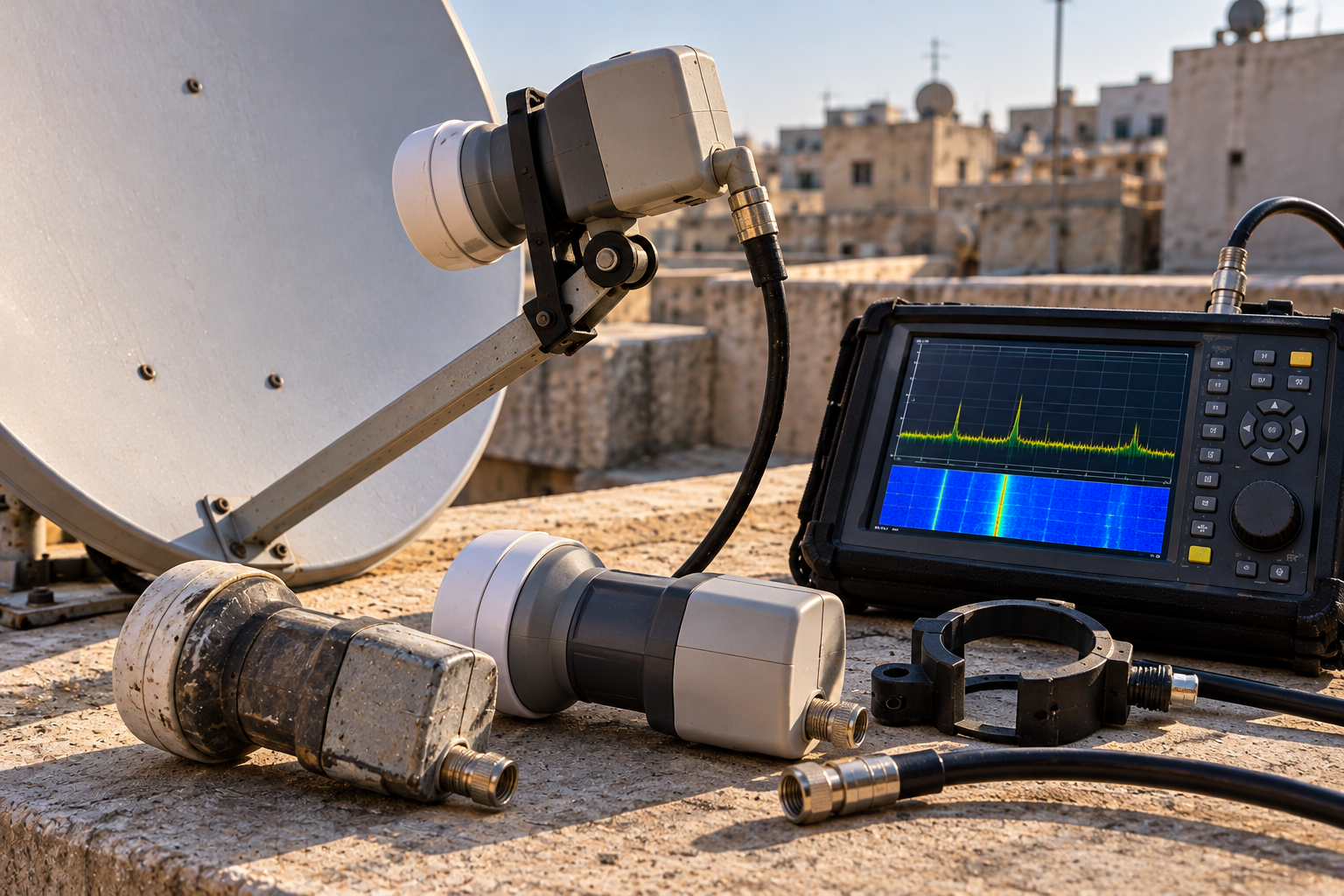
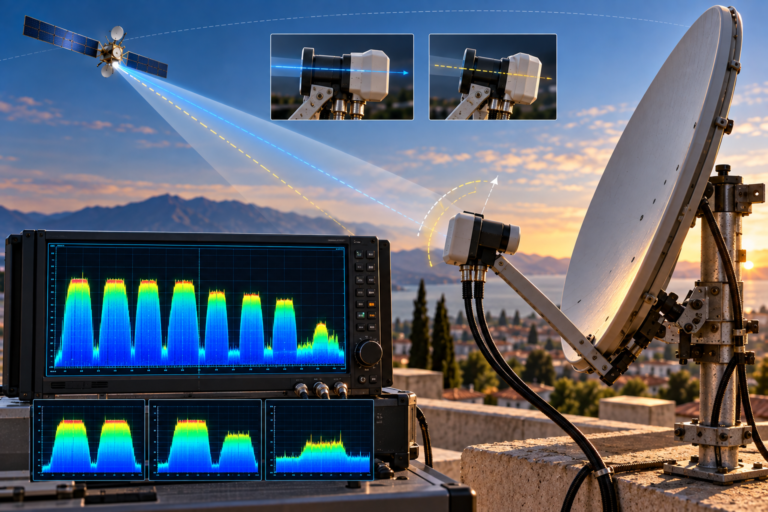
You replace an old satellite LNB, expecting better reception from Astra 19.2E. Instead, several channels disappear. Some frequencies still work perfectly, others show no signal, and a fresh channel scan finds fewer services than before. The dish has not moved, so why did changing one small component affect so many channels?
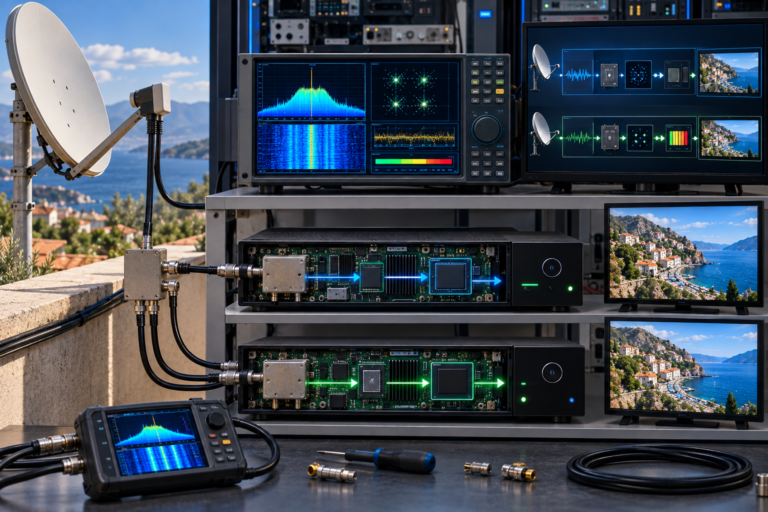
The answer is often hidden in how the replacement LNB handles frequency conversion, polarization and band switching. Two LNBs may look almost identical but behave very differently in a satellite distribution system. In other cases, the new LNB is perfectly compatible, but its installation has changed the feed position, skew angle or coaxial connection. Before adjusting the dish or deleting your channel list, identify exactly which part of the reception chain changed.
If Astra channels vanish immediately after an LNB replacement, first confirm that the new unit matches the original installation. A universal LNB, a Quattro LNB and a Unicable/dCSS LNB are not interchangeable simply because they fit the same dish bracket. Incorrect local oscillator settings, missing 22 kHz switching, polarization control faults and feed alignment can each make specific channel groups disappear.
- Why Changing an LNB Can Make Astra Channels Disappear
- The First Check: Did You Install the Correct LNB Type?
- How Wrong Oscillator Settings Hide Transponders
- Why the 22 kHz Tone Matters
- Why Horizontal or Vertical Channels May Vanish
- How LNB Skew Affects Astra Reception
- Why Feed Position and Focus Matter
- Multiswitch and Unicable Compatibility Problems
- What Can Go Wrong With the Coaxial Connection?
- What the Missing Channel Pattern Reveals
- Why a Blind Scan Can Hide the Real Problem
- Step-by-Step Troubleshooting
- Reality Check
- Final Verdict
- Frequently Asked Questions
Why Changing an LNB Can Make Astra Channels Disappear
The LNB does more than amplify a weak satellite signal. It also converts Ku-band frequencies into the intermediate-frequency range used by satellite receivers.
Depending on its design, the LNB may select different frequency bands and polarization states using electrical control signals sent through the coaxial cable.
That means replacing an LNB can affect several independent functions:
- Frequency conversion and local oscillator selection
- Low-band and high-band switching
- Horizontal and vertical polarization selection
- Compatibility with multiswitches and distribution equipment
- Physical feed alignment and polarization skew
- RF performance and coaxial connectivity
If one of these functions changes unexpectedly, the receiver may continue receiving some Astra transponders while losing others.
This selective failure is useful diagnostic evidence.
For example, losing every high-band transponder suggests a different problem from losing only one polarization or a handful of individual frequencies.
The first task is therefore not to scan again. It is to identify the pattern of the missing channels.
The First Check: Did You Install the Correct LNB Type?
Satellite LNBs can have similar housings and connector arrangements while serving different purposes.
A common mistake is assuming that any replacement with the same number of outputs will work in the existing installation.
That is not always true.
Universal Single, Twin and Quad LNBs
These are commonly used in conventional home satellite installations.
A universal Single LNB normally provides one independently controlled output. A Twin provides two independent outputs, while a Quad generally provides four.
Each conventional output can respond to the connected receiver’s band and polarization selection commands.
This makes them suitable for direct connections to compatible satellite tuners, subject to the installation’s switching and distribution requirements.
Quattro LNBs
A Quattro LNB is designed primarily for use with a compatible multiswitch.
Instead of providing four independently switchable receiver outputs, it provides four fixed satellite signal groups:
- Vertical low band (VL)
- Horizontal low band (HL)
- Vertical high band (VH)
- Horizontal high band (HH)
If a Quattro LNB is connected directly to a conventional receiver as though it were a Quad LNB, the receiver cannot independently select all four groups through that single fixed output.
Some channels may work, but others will remain unavailable.
Unicable, SCR and dCSS LNBs
Single-cable distribution systems use a different method to serve multiple tuners over shared coaxial infrastructure.
Compatible receivers request particular satellite signals through assigned user bands and control commands.
These systems may use standards such as EN 50494 or EN 50607, depending on the equipment.
They require the correct receiver configuration and user-band assignments.
Some hybrid LNBs provide both conventional and Unicable outputs, but this must be confirmed from the actual model specifications.
| LNB Type | Typical Output Behavior | Important Compatibility Check |
|---|---|---|
| Universal Single | One independently switched output | Standard receiver band and polarization controls |
| Universal Twin | Two independently switched outputs | Independent tuner connections |
| Universal Quad | Four independently switched outputs | Conventional direct-tuner connections |
| Quattro | Four fixed band/polarization outputs | Correct multiswitch input mapping |
| Unicable/SCR | User-band-based satellite distribution | Receiver protocol and user-band settings |
| dCSS | Digital channel stacking for compatible systems | Supported control standard and assigned user bands |
Practical rule: Before replacing an LNB, identify the original model and the equipment connected to it. Matching the connector count is not enough.
How Wrong Oscillator Settings Hide Transponders
One of the most common configuration problems involves the LNB’s local oscillator frequencies.
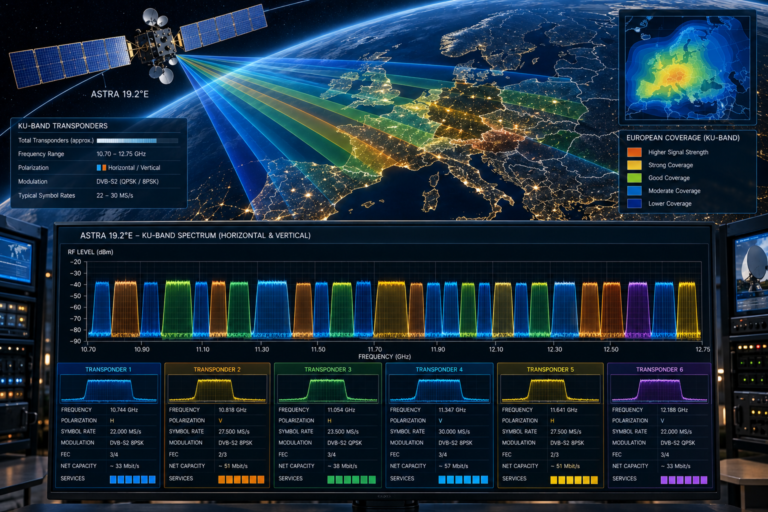
A typical European universal Ku-band LNB uses two nominal oscillator frequencies:
- 9750 MHz for the lower band
- 10600 MHz for the upper band
The receiver uses the selected oscillator frequency to calculate where a satellite transponder should appear within its intermediate-frequency tuning range.
For example, consider an Astra transponder operating at 11,500 MHz.
Satellite frequency: 11,500 MHz
Low-band oscillator: 9,750 MHz
Expected intermediate frequency: 1,750 MHz
Calculation: 11,500 − 9,750 = 1,750 MHz
If the receiver assumes the wrong local oscillator frequency, it may tune to the wrong intermediate-frequency location.
The selected transponder may then fail to lock even though the dish is correctly aligned and the LNB is receiving the satellite.
Incorrect settings can also make a channel scan produce confusing results, including missing or apparently misplaced transponders.
For a standard universal LNB, the receiver setting is commonly labeled Universal (9750/10600).
However, those values must not be applied blindly to specialized LNBs or systems that use different frequency plans.
Always confirm the replacement LNB’s specifications before changing receiver settings.
Why the 22 kHz Tone Matters
Conventional universal LNBs divide the Ku-band reception range into lower and upper bands.
The receiver normally controls the selection using a 22 kHz tone carried over the coaxial cable.
For a typical universal LNB:
| Receiver Control | Typical Universal LNB Response |
|---|---|
| 22 kHz tone off | Lower band, nominal 9750 MHz oscillator |
| 22 kHz tone on | Upper band, nominal 10600 MHz oscillator |
The usual band boundary is around 11.7 GHz, although the exact implementation and receiver settings must match the LNB specification.
If the 22 kHz control is disabled or the LNB does not respond correctly, one frequency band may disappear.
For example, the receiver may continue locking lower-band transponders while failing to receive upper-band carriers.
This can happen after an LNB change if the receiver settings were modified, the new unit is incompatible or a connection fault affects control signaling.
In a conventional universal LNB setup, the receiver’s 22 kHz setting is often best left on its appropriate automatic band-switching mode.
But in a Quattro multiswitch or Unicable installation, control behavior is determined by the system architecture and should not be configured as though every output were a conventional universal LNB connection.
Why Horizontal or Vertical Channels May Vanish
Satellite broadcasting commonly uses horizontal and vertical linear polarization to reuse spectrum efficiently.
In a conventional universal LNB installation, the receiver generally selects polarization using different DC supply voltages.
Approximately 13V is associated with vertical selection, while approximately 18V is associated with horizontal selection.
The precise voltages and tolerances depend on the equipment specification.
If a receiver cannot provide the required voltage, or the LNB does not respond correctly, one polarization may become unavailable.
This produces a distinctive symptom: some Astra transponders work normally while many others show no signal.
Possible causes include:
- Defective polarization switching inside the replacement LNB
- Receiver power-supply problems
- Excessive voltage drop through a damaged cable or connection
- Incorrect distribution equipment
- Wrong Quattro LNB output connections
However, do not confuse polarization switching with LNB skew.
Switching determines which polarization the LNB selects. Skew concerns the physical orientation needed for proper polarization alignment.
Both can affect reception, but they are different mechanisms.
How LNB Skew Affects Astra Reception
When installing a replacement LNB, it is easy to overlook its rotational position inside the feed clamp.
This rotation is called LNB skew.
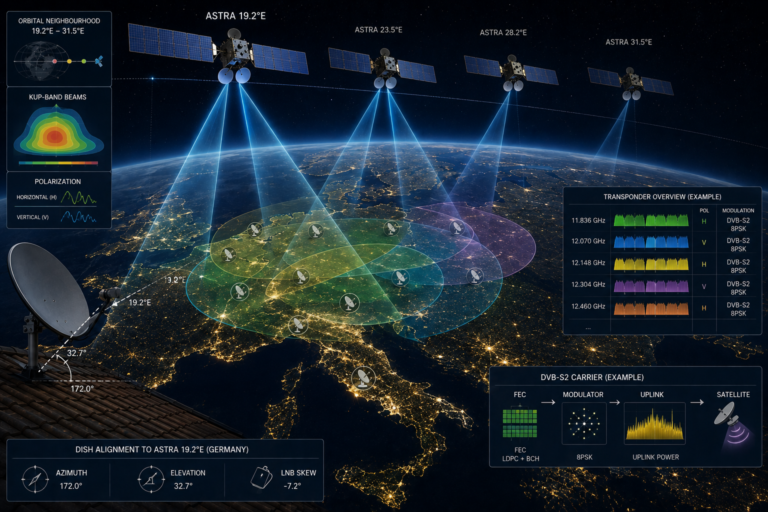
The correct skew depends on the receiving location, the satellite’s orbital position and the antenna geometry.
Its purpose is to align the receiving polarization axes with the arriving satellite signals.
If the replacement LNB is rotated incorrectly, the receiving system may have poorer cross-polarization isolation.
That allows more unwanted energy from the opposite polarization to interfere with the wanted carrier.
Some transponders may remain usable, while others experience reduced MER or intermittent decoding errors.
Severe misadjustment can prevent reliable reception of certain carriers.
The correct procedure is to establish the expected skew for the installation and then optimize using appropriate measurements.
Do not assume that the LNB should always sit perfectly vertical.
Equally, do not rotate it randomly until one channel appears. A temporary improvement on one carrier may come at the expense of another.
Why Feed Position and Focus Matter
Changing the LNB can also alter its physical position relative to the dish reflector.
Even if the dish itself has not moved, the new LNB may sit slightly farther forward or backward in the clamp.
Different LNB housings and feedhorn designs can also affect illumination of the reflector.
The dish is designed to focus incoming satellite energy toward a particular feed region.
If the replacement feed is positioned poorly, the antenna may not achieve its intended performance.
That can reduce usable signal quality and leave marginal transponders unable to lock.
Potential installation issues include:
- Incorrect LNB insertion depth
- Loose feed clamp
- Wrong clamp adapter
- Feedhorn geometry unsuitable for the reflector
- Accidental movement of the feed arm during replacement
These problems are particularly relevant when a dish already has limited reception margin.
For example, a strong Astra transponder may continue working after the replacement, while a weaker carrier disappears because the available antenna gain has decreased.
Before moving the entire dish, verify that the new LNB is mounted securely and positioned correctly.
Multiswitch and Unicable Compatibility Problems
Satellite installations serving several rooms or apartments can be more complicated than a single receiver connected directly to a universal LNB.
A conventional Quattro multiswitch system expects four fixed satellite signal groups from the LNB.
These outputs must be connected to the corresponding multiswitch inputs.
If the cables are connected incorrectly, receivers may receive the wrong band or polarization when selecting a transponder.
For example, connecting the vertical high-band output to an input intended for horizontal high-band signals can cause confusing channel failures across the distribution network.
Replacing a Quattro LNB with a Quad LNB may also be incompatible with a multiswitch designed specifically for fixed Quattro outputs, unless the multiswitch explicitly supports that arrangement.
Unicable and dCSS systems introduce a different set of requirements.
Each compatible tuner normally needs the correct user-band assignment and associated frequency, and the receiver must support the relevant control protocol.
Duplicate user-band assignments can cause conflicts between receivers.
A replacement LNB with a different user-band frequency plan may therefore require receiver reconfiguration.
Important: If an LNB replacement affects several rooms simultaneously, investigate the shared distribution equipment before adjusting individual receivers. A common failure across multiple tuners often points toward a shared component or configuration problem.
What Can Go Wrong With the Coaxial Connection?
An LNB replacement usually requires disconnecting and reconnecting at least one coaxial cable.
That creates an opportunity for a previously hidden connection problem to become visible.
A loose F-connector can introduce intermittent RF loss. Corrosion may affect electrical contact. A damaged center conductor can interfere with LNB power and switching.
Another concern is stray shielding strands touching the center conductor.
Such a short circuit may trigger receiver LNB-power protection or prevent normal operation.
Some cable faults affect particular frequency ranges more strongly than others, creating the appearance that only certain Astra transponders have disappeared.
After an LNB change, inspect accessible connections for:
- Correct center-conductor length
- Loose or poorly fitted connectors
- Corrosion or moisture
- Stray shielding strands
- Crushed or sharply bent coaxial cable
- Inadequate outdoor weather sealing
Always switch off the receiver before disconnecting or reconnecting the coaxial cable.
Do not perform rooftop or elevated antenna work without appropriate access and safety precautions.
What the Missing Channel Pattern Reveals
Before changing settings, group the missing channels by transponder frequency, band and polarization.
The pattern often narrows the possible causes.
| Observed Problem | Possible Cause | First Check |
|---|---|---|
| Most high-band channels disappear | 22 kHz switching or incorrect LNB configuration | Band settings and LNB type |
| Most low-band channels disappear | Incorrect oscillator or band switching | LOF and 22 kHz behavior |
| One polarization is missing | Voltage switching, cable or distribution fault | 13/18V control path and LNB outputs |
| Only selected weak transponders disappear | Feed position, skew, alignment or reduced MER | Carrier quality measurements |
| All channels disappear | Incorrect LNB type, power, connection or satellite selection | Physical and receiver configuration |
| Multiple rooms lose the same groups | Shared LNB or multiswitch configuration | Distribution architecture |
| Channels disappear after a Unicable replacement | User-band or protocol mismatch | SCR/dCSS settings and assignments |
These are diagnostic clues rather than guaranteed explanations.
For example, losing all high-band channels strongly suggests a band-selection problem, but a defective LNB or incompatible distribution component can produce similar symptoms.
The next step is to test the relevant control and RF path rather than assuming one specific component has failed.
Why a Blind Scan Can Hide the Real Problem
When channels disappear after an LNB replacement, many users immediately start a blind scan.
That can make the situation more confusing.
A blind scan searches for detectable satellite carriers and attempts to identify their transmission parameters.
It can be useful for discovering services, but it does not repair incorrect LNB configuration, missing switching signals or poor feed alignment.
If the receiver can access only one band or polarization, the scan may find channels from that accessible group while omitting everything else.
Worse, replacing the existing channel list may remove useful information about previously working services.
A better approach is to test known transponders manually.
Choose one carrier from each relevant band and polarization group, using current verified transmission parameters.
If some groups consistently lock while others do not, the pattern provides more diagnostic value than a large list of scan results.
Only rebuild the channel list after the underlying reception problem has been corrected.
Step-by-Step Troubleshooting
Step 1: Identify the original and replacement LNB models.
Check whether both devices use the same operating principle and are compatible with the installation. Confirm whether the system is conventional universal, Quattro multiswitch or Unicable/dCSS.
Step 2: Preserve the existing channel list.
If the receiver supports channel-list backup, save the current configuration before scanning or resetting anything.
Step 3: Check the receiver’s LNB settings.
For a conventional universal LNB, verify the appropriate 9750/10600 MHz oscillator configuration and automatic band switching. Use the manufacturer’s settings for other LNB types.
Step 4: Test known Astra transponders.
Use current verified carrier parameters to compare low-band and high-band reception, along with horizontal and vertical polarization.
Step 5: Inspect the coaxial connection.
With the receiver powered off, check accessible F-connectors for looseness, corrosion, moisture and short circuits.
Step 6: Verify LNB skew and feed position.
Check that the replacement is securely mounted and correctly oriented. If needed, use a professional satellite meter to optimize the installation.
Step 7: Check distribution equipment.
For Quattro systems, verify fixed-output mapping to the multiswitch. For Unicable systems, confirm user-band assignments and supported control standards.
Step 8: Compare MER and carrier lock.
If a carrier is present but unstable, measure modulation quality rather than relying only on receiver signal-strength percentages.
Step 9: Test with a known-good compatible LNB.
If the configuration and connections are correct, a controlled replacement test can help determine whether the new unit is defective.
Step 10: Scan only after reception is restored.
Once all expected band and polarization groups are working, update the receiver’s channel database as needed.
Reality Check
Missing Astra channels after an LNB change do not automatically mean the replacement LNB is defective.
A new LNB can be fully functional but incompatible with the existing receiver or multiswitch architecture.
Incorrect local oscillator settings can shift the expected intermediate frequencies. Missing 22 kHz switching can make an entire frequency band unavailable. Polarization control faults can remove another group of transponders.
Physical installation matters too. Incorrect skew, feed position or damaged coaxial connections can reduce usable signal quality even when some channels remain stable.
The correct diagnosis begins with the missing-channel pattern and the actual LNB specifications, not with repeated blind scans or random dish adjustments.
Final Verdict
If Astra channels vanish immediately after replacing an LNB, the first suspect should be compatibility and configuration, not the satellite itself.
A conventional universal LNB, a Quattro LNB and a Unicable/dCSS LNB can require fundamentally different receiver and distribution arrangements.
For standard universal installations, the local oscillator configuration, 22 kHz band switching and 13/18V polarization control are essential.
For multiswitch and single-cable distribution systems, correct output mapping, control protocols and user-band assignments become equally important.
Once the electronic configuration is confirmed, inspect the physical installation. LNB skew, feed position, coaxial connections and mounting stability can all affect which transponders remain receivable.
Do not erase the channel list or move the dish until the cause has been narrowed down.
Test representative transponders from each band and polarization group, verify the replacement LNB’s specifications and change one variable at a time.
When the correct LNB is installed and configured properly, Astra reception should not lose entire groups of channels simply because the feed unit was replaced.
Frequently Asked Questions
| Question | Answer |
|---|---|
| Why did Astra channels disappear after changing the LNB? | The replacement may have different switching or distribution requirements, incorrect oscillator settings, poor skew or feed alignment, or a faulty coaxial connection. |
| What LNB frequency should I use for Astra 19.2E? | A conventional European universal Ku-band LNB commonly uses 9750/10600 MHz. Other LNB types may require different settings. |
| Why do high-band channels disappear after an LNB replacement? | Possible causes include incorrect 22 kHz switching, wrong LNB configuration, an incompatible replacement or a faulty control path. |
| Why do only horizontal or vertical Astra channels work? | In conventional systems, investigate 13/18V polarization switching, cable voltage drop, LNB faults and distribution equipment. |
| Can I replace a Quattro LNB with a Quad LNB? | Not automatically. Compatibility depends on the multiswitch. A system expecting four fixed Quattro outputs may not work correctly with a conventional Quad LNB. |
| Does Unicable require special receiver settings? | Yes. Compatible receivers need the correct SCR/dCSS protocol configuration and user-band assignments. |
| Can incorrect LNB skew make channels disappear? | Yes. Poor skew can reduce cross-polarization isolation and degrade signal quality, particularly on marginal transponders. |
| Should I move the dish after changing the LNB? | Not immediately. First confirm compatibility, receiver settings, feed position, skew and cable connections. |
| Will a blind scan restore missing Astra channels? | Only if the underlying reception path is working. A blind scan cannot repair incorrect LNB switching, incompatible equipment or poor RF quality. |
| How can I identify the cause without replacing more equipment? | Test known transponders across both frequency bands and polarizations, compare lock and MER measurements, and verify the LNB type and receiver configuration. |